
Have you ever wondered how you can significantly improve your writing efficiency and overall content quality? Did you know that high quality content can increase your chance of ranking higher and boost audience engagement by up to 80%?
The way bloggers and content creators writing content has changed and evolved, especially with the booming of AI generators. People are using AI as a tool to get and generate content, that is why AI is storming the internet and ranking is becoming more and more difficult.
But that’s also the reason why people are craving more for quality and informative content written by real humans. AI may use superb words and fancy expressions with nearly no mistakes, but the logic behind it can easily be detected.
In this post, let’s explore 10 of the best content creation tools for quality writing. Some of them are AI-powered writing assistants, others are not.
1. Grammarly - Intuitive Writing Assistant
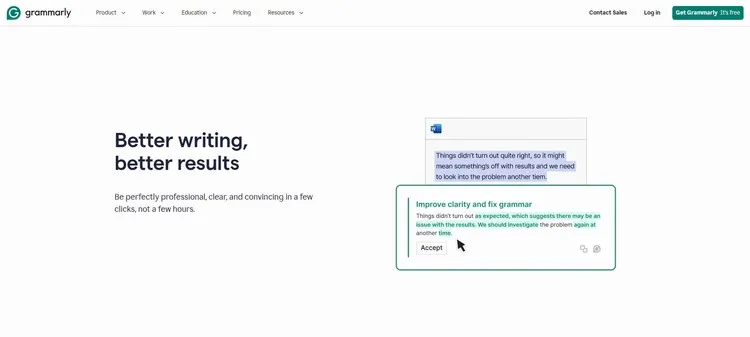
When talking about content creation tools for quality writing, Grammarly is almost always on the top of the list. Whether you are drafting an email, writing a blog post, or even academic paper, Grammarly offers real-time feedback on grammar, punctuation, and writing style. It also helps you correct your mistakes that you might overlook and offers suggestions that better fit your current context. It acts just like a personal writing assistant that helps anyone who writes online.
One of the best features Grammarly offers is its ability to tailor suggestions based on your writing style, be it formal or casual.
The best part that I personally like very much is its integration and portability, it can be accessed on your desktop, mobile devices, browsers, as browser extention, in MS Office, Google Docs, Gmail, etc. This really comes in handy, you can refine your content with a few clicks or just one.
Pros and Cons
Pros
- Real-Time Corrections: You get immediate feedback on grammar, spelling mistakes, etc.
- Vocabulary Build-up: You’ll find yourself using more advanced or context-aligned words after repeated using of Grammarly with its powerful suggestion features.
- Plagiarism Checker: Quality original content matters the most, Grammarly detects whether the content is original.
- Customization: Grammarly won’t just give fixed suggestions, rather, it adapts itself to your writing tone and stlye and gives corresponding suggestions accordingly.
Cons
- Paid Features: You’ll have to upgrade to a paid plan to get access to some of the advanced features like Plagiarism Detector, unlimited personalized suggestions, and your writing tone adjustments.
- Over-Relience: The way Grammarly helps our writing tends to make us become too dependent on it, thus preventing us from advancing our natural editing skills if we aren’t paying attention to actually incorporating the vocabularies, sentence structures, tones, etc into our regular writing.
- Context Limitations: A tool be a tool, it might mis-interpret the writing context if it becomes too complex.
I would personally recommend Grammarly to all who are trying to improve their writing abilities. A free account is good enough to get started.
Go to Grammarly2. Hemingway Editor - Straightforward Content Editor
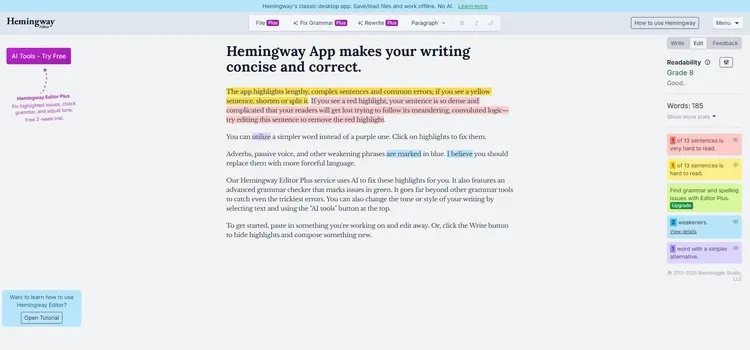
Hemingway Editor App is a fantastic WYSIWYG editor tool that is designed to make your writing clear and bold. Its straightforward approach on highlighting complex sentences, adverbs, and passive voice gives a clear measure of how accessible your content is to readers, which I like very much. The interface is very clean and user-friendly, allowing you to focus on your writing without distractions.
Pros and Cons
Pros
- Simplicity Focused: Hemingway Editor helps identify and simplify your content’s complext sentences and structures, by highlighting and giving suggestions on your content.
- Real-Time Feedback: Just like Grammarly, it also offers instant highlights and feedback on parts that need improvement. And it provides you with real-time caculations of your content like total number of letters, words, sentences as well as reading time.
- Readability Score: The score in grade levels gives you an intuitive measure of how difficult or easy your readers will find understanding your text.
- Distraction-Free: Hemingway Editor’s straightforward and simple layout keeps you focused on your writing.
Cons
- Limited Formatting Options: You can’t adjust the font size, though you can do this by setting text as headings, this isn’t actually font size adjustment. Its primary focus is content.
- Paid Grammar Checks: You need a paid subscription to get access to its grammar checks and fixes.
- Learning Curve: For beginners, it might take some time to fully understand how all the suggestions and feedbacks work.
3. QuillBot - Comprehensive Content Writing Tool-set
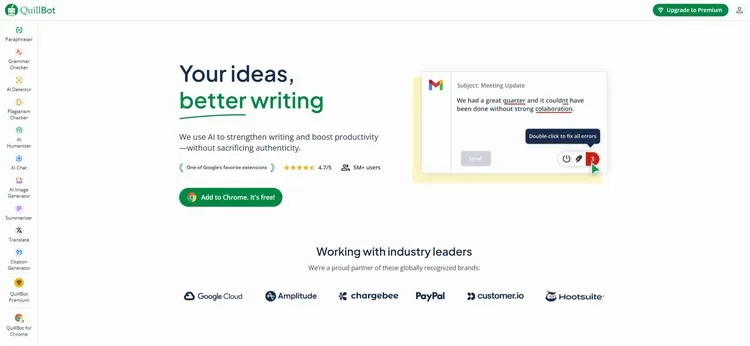
QuillBot is a smart content toolbox that helps you improve your writing by rephrasing your sentences while maintaining the original meaning and at the same time giving you options to choose from a list of alternative expressions for the changed words. Its Grammar Checker gives you instant feedback on what and where your mistakes are and you get real-time score measure on Grammer, Fluency, Clarity, Engagement, Delivery. QuillBot’s rich selection of additional tools like AI Detector, Plagiarism Checker, Summarizer, AI Humanizer, etc and features like modes and multi-lingual paraphraser make it stand out from the fierce competition.
QuillBot is intuitive and easy to use, whether you are drafting a paper, a blog post, or any content, it is a valuable multi-functional writing companion for any quality writing project.
Pros and Cons
Pros
- Efficient Paraphrasing: QuillBot quickly generates multiple rephrased alternative options for sentences you write.
- User-Friendly: Its simple interface makes it easily accessible for users at all levels.
- Grammar Checker: As a content tool, grammer detection is a must-have feature that helps catch errors and improves sentence structure and overall content quality.
- Accessibility: QuillBot can be accessed in various platforms, such as Chrome Extension, Microsoft Word, Safari, Windows.
Cons
- Paid Premium Features: Advanced features like unlimited paraphrasing, unlimited paraphraser modes, etc require a subscription.
- Contextual Limitations: Occasionally, you may find suggestions that don’t fit perfectly with your current content context, you’ll have to manually adjust them.
- Over-Depenence: You might rely too heavily on these tools when they get used to them, instead of developing your own writing style and ability.
Overall, QuillBot is a recommendable writing assistant that genuinely helps writers and content creators articulate their ideas more effectively and thus enable them to write more engaging quality content that holds reader’s attention. If you are looking to elevate your writing skills and trying to improve the quality of your content, try QuillBot now!
Go to QuillBot4. Scrivener - All-In-One Writing Software
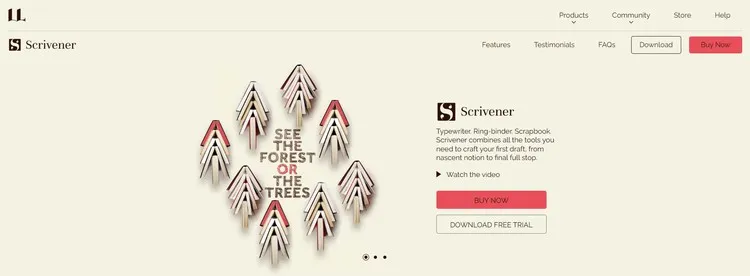
Scrivener is an all-in-one writing software that’s designed specifically for long-form content writers like novelists, authors, screenwriters, journalists, translators, lawyers, and researchers. Its unique interface allows you to organize your notes, outlines, and drafts all in one place, which helps you manage complex writing tasks seamlessly. Unlike other tools or software that need pairing with other tools to manage multiple files and projects, Scrivener manages all your files in one place, streamlines your writing workflow and improves your writing quality by allowing you to focus on both structure and content. By breaking projects into smaller sections and chunks, it makes content revisions and edits more manageable. You just need to work on your inspiration and creativity.
Pros and Cons
- Organizational Tools: Scrivener offers multiple options to structure your writing, like folders, labels, colors, etc.
- Customizable Layout: Within the software, you are able to customize the layout tailored to your own preferences.
- Research Integration: All your research materials are easily accessible by storing them alongside your writing.
- Multi-Format Exporting: You can compile and export your work in a variety of formats, such as eBooks, PDFs with just a few clicks.
Cons
- Steep Learning Curve: Scrivener is designed for professional writers, the rich features can be overwhelming for new users.
- Desktop Focused: As a comprehensive and feature-rich content editor, it’s primarily designed for desktop use, mobile capabilities are limited due to its accessibility.
- One-Time Cost: Scrivener is a Paid writing software with a free trial period of 30 days, after that period, it will stop working unless you buy a license.
5. Ulysses - Ultimate Writing App for Apple Devices
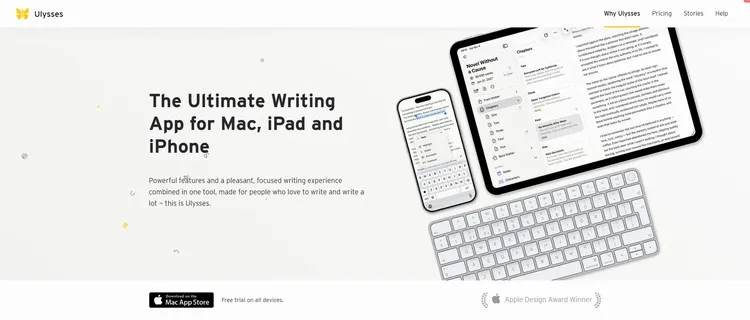
Ulysses is a powerful writing app that’s designed only for Mac and iOS users, it’s perfect for anyone who crafts everything from blog posts to novels. Its sleek, distraction-free interface empowers writers to focus on their words, fostering users’ creativity and efficiency. The markup-based text editor simplifies writing processing by making it extremely easy to style text without having to lift fingers from the keyboard. One of its standout features is the library in which you can organize and store all your writing projects, notes, and research all in one place, making it convenient to access everything you need in your content. The deadline and daily goals features enable you to track your daily progress, word counts, and writing behavior, ensuring you stay on top of your writing ambitions.
Pros and Cons
Pros
- Distraction-Free Interface: Ulysses makes sure that you concentrate on your writing with minimal distractions.
- Built-In Proofreader: Ulysses’s built-in grammar and style checker helps you avoid mistakes and meet the right tone. Available for over 20 languages, it offers suggestions for capitalization, punctuation, semantics, redundancy, style and more.
- Project Organization: All your projects and notes are kept neatly organized in one library.
- Goal Tracking: It helps you set and track your writing goals and progress effectively.
- Portability: All your texts can be seamlessly synced across your connected Apple devices.
Cons
- Mac and iOS Only: Ulysses is limited to Apple devices, which excludes users without one.
- Subscription Based: Ulysses requires a paid subscription, even though there’s a fully functional trial.
- Learning Curve: New users without any markdown writing experience may find it challenging at first.
Ulysses is for those who needs additional features like deadline, goal-setting, and other productivity features other than general content editing with grammar checkers.
Go to Ulysses6. ProWritingAid - Craft, Polish, and Elevate Your Writing
ProWritingAid is a robust writing assistant that’s primarily design to polish and enhance writing across various formats, whether you are crafting articles, reports, stories, or even creative pieces. Unlike traditional grammer checkers, ProWritingAid goes beyond that by providing you with in-depth analysis of your writing style, structure and readability. It offers instant fixes of your grammar, spelling, and style issues, highlights areas for improvement, such as overused words, complex sentences, and passive voice. ProWritingAid fits seamlessly into your workflow with its integrationis for popular writing platforms like Microsoft Word, Google Docs and Scrivener. The Sparks feature is exceptionally useful for storytellers and those who want to infuse the writing with specific tones and styles.
Pros and Cons
Pros
- Comprehensive Analysis: ProWritingAid is more than just a spell checker, it offers detailed insights on grammar, style, and readability.
- Personalized Experience: The more you use ProWritingAid, the more it caters to your writing habits, it tracks your writing habits and suggests tailored improvements.
- Integrations: It works great with various editing software.
- Powerful Sparks: You get to rewrite, change perspective, add sensory details, summarize, change tense, etc with Sparks.
7. Reedsy Studio - You Own Writing Studio, Your Masterpiece
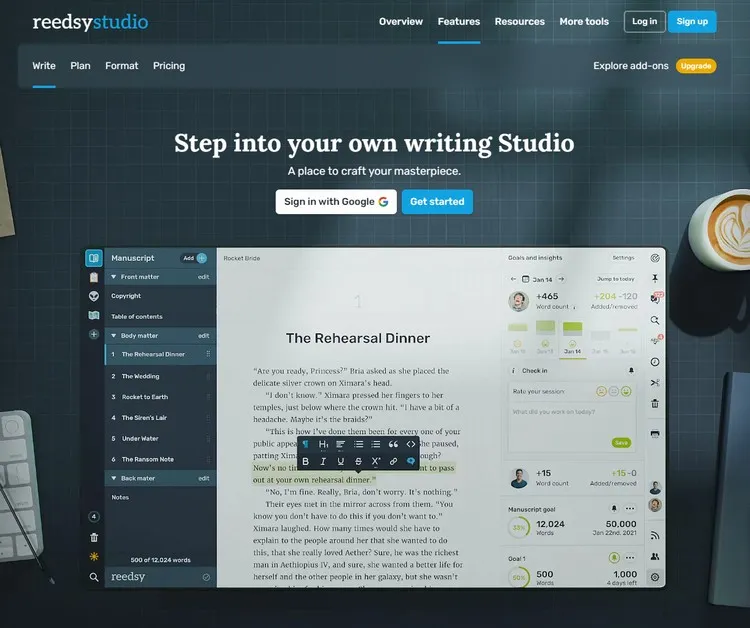
Reedsy is a versatile platform designed specifically for authors. It offers a wealth of resources to streamline your writing and publishing process. Whether you are working on your first draft or preparing for final publication, Reedsy has the right tools to support each stage of your writing journey. One of the standout features is its powerful online writing tool which is designed to get you from blank page to published book, with manuscript oranized in section, chapter, and scene in the sidebar, and your book’s ready for your readers or printing as soon as you’re finished writing! Moreover, you aren’t alone with the writing journery, Reedsy connects you with a huge network of professional authors, designers, editors, and marketers like you, which helps you polish your work to a professional standard. Just so you know, some of the Amazons best-selling books were created and crafted in Reedsy.
Pros and Cons
Pros
- Professional Network: It has a marketplace that connects you with experienced editors, designers, and marketing experts.
- User-Friendly Formatting: The inline formatting tool provides easy access to content formatting and simplifies for self-publishing.
- Educational Resources: Reedsy offers valuable courses taught by publishing professionals to enhance your writing and publishing knowledge. Some of them are completely free to enroll.
- Live Collaboration: Reedsy is more than a solo author’s publishing platform, it’s also made for teams. Your co-author, editor, or proofreader can comment and make changes to the work and they are all well tracked.
Cons
- Limited Free Features: While many features are free, some advanced features come at a cost, like unlimited history, advanced stats and custom goals.
- Author-centric: Reedsy is primarily focused on book publishing for authors, which may not be a good choice for other types of writers like bloggers.
- Service Quality Varies: Though having a marketplace grants more possibilities for authors, the quality of freelance professionals can differ. Should you choose one of them, pay extra attention to their history service quality feedback.
Conclusion
Although the overall content creation landscape has changed and evolved significantly due to the emerging AI tools, quality content still has its place, and I believe there will always be, just like paper books are still selling great even though ebooks are easily accessible and comparatively more portable. The key is to constantly update and upgrade your writing skills, and these tools listed above are a great start to advancing your writing ability, style, tone, clarity, and content engagement, some of them are professional writing software that you can use even to publish your own book.